
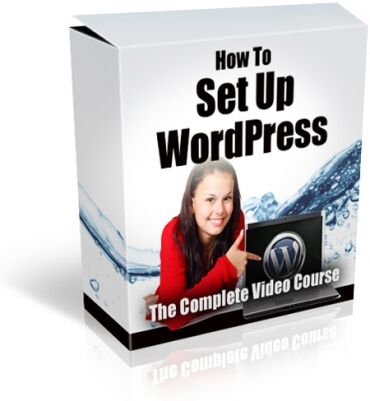
How To Setup Wordpress
Learn how to set up WordPress seamlessly with over 68 minutes of detailed videos. Each step is covered, from pre-installation to plugin configuration. Ideal for beginners and those supporting WordPress users.
If you've ever had to teach yourself how to install WordPress, you know it's not nearly as easy as the "one click" installs suggest.
Explaining to customers or friends how to set up WordPress can be quite challenging. Whether it's clarifying the difference between a post and a page, or why the Publish button mysteriously turns into Update after it's clicked, or explaining what plugins are and which ones to install, it can be a very frustrating process.
While there are tutorials available on sites like YouTube, you need to know exactly what you're looking for and hope that the videos are up-to-date with the current version of WordPress, as menus and options can change with each update.
Now, you can access over 68 minutes of "over-my-shoulder" videos that guide you through installing WordPress from start to finish.
- Video 1 covers the pre-installation process, including choosing a secure username and generating a strong password.
- Video 2 includes two versions: one for installing WordPress using Fantastico and another using Softaculous, the most popular "one-click" installation routines.
- Video 3 demonstrates how to update anything the auto-install might have missed and make necessary changes to keep your WordPress installation tidy and ready for posting.
- Video 4 continues with additional settings changes and discusses the initial appearance of your new WordPress blog, including removing unnecessary default widgets.
- Video 5 walks through the installation of 9 essential plugins, from a contact form to Yoast's SEO plugin and more.
- Videos 6, 7, and 8 provide detailed instructions on configuring each plugin for optimal site performance.
- For those supporting customers, the final 4 videos will save you significant time and effort.
- Videos 9 and 10 teach you how to create a post in WordPress, including adding images and properly using the "more" line to avoid duplicate content.
- Video 11 does the same for WordPress pages, explaining their differences from posts, how to order them in menus, and how to hide them if needed.
- Video 12 offers an overview of WordPress themes, where to find them, and how to install a new theme.
- In total, these videos provide over 68 minutes of detailed, up-to-date instruction.
Terms
- [YES] Can be sold
- [YES] Can be used for personal use
- [YES] Can be packaged with other products
- [YES] Can modify/change the sales letter
- [YES] Can modify/change the main product
- [YES] Can modify/change the graphics and ecover
- [YES] Can be added into paid membership websites
- [YES] Can put your name on the sales letter
- [YES] Can be offered as a bonus
- [YES] Can be used to build a list
- [YES] Can print/publish offline
- [YES] Can convey and sell Personal Use Rights
- [YES] Can convey and sell Resale Rights
- [YES] Can convey and sell Master Resale Rights
- [YES] Can be translated to other languages
- [YES] Can be added to shops/memberhips containing more than 500 products
- [NO] Can be given away for free
- [NO] Can be added to free membership websites
- [NO] Can convey and sell Private Label Rights
- /
-
- HowToSetupWordpress_plr
- Ecover
- SetupWPBox.jpg
- eCover450.jpg
- Sales Copy
- index_files
- colorschememapping.xml
- filelist.xml
- themedata.thmx
- How To Setup Wordpress Video Series.doc
- index.html
- Videos
- 0-NOTE.txt
- 1 Wordpress - before you begin.mp4
- 2a Installing Wordpress with Fantastico.mp4
- 2b Installing Wordpress with Softaculous.mp4
- 3 Updating the auto install if needed.mp4
- 4 Changing settings, appearance and widgets.mp4
- 5 Installing plugins for increased functionality.mp4
- 6 Changing settings for plugins, part 1.mp4
- 7 Changing settings for plugins, part 2.mp4
- 8 Changing settings for plugins, part 3.mp4
- 9 Your first post.mp4
- 10 Other things you can do with your post.mp4
- 11 Adding a page.mp4
- 12 Wordpress themes.mp4
- Wordpress Guide.txt
Related Products


Latest products


Latest products